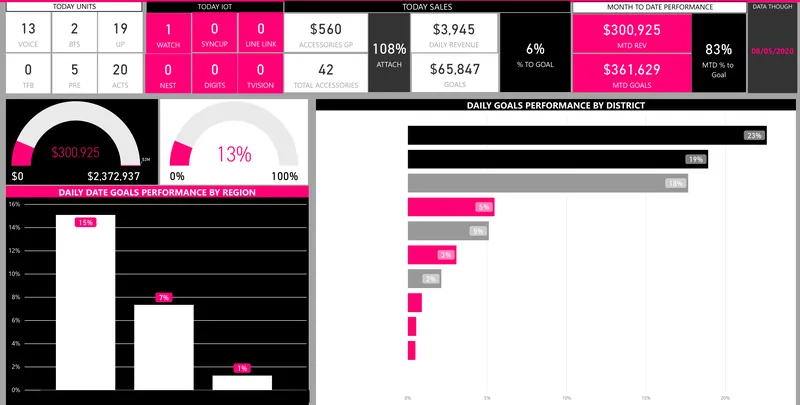
Common signs reporting has outgrown Excel
- The same data is exported every reporting period
- One workbook depends on several other workbooks
- Only one person understands the formulas and update sequence
- Reports break when a column name or file format changes
- Teams maintain different versions of the same KPI
- Management waits for reports while analysts reconcile data
- Files are emailed around and version control is unclear
- Large workbooks are slow or unstable
- Manual adjustments are difficult to trace
- Power BI exists, but Excel is still doing most of the real data preparation
What Datazeb can modernise
Management Reporting Packs
Replace recurring workbook assembly with connected, refreshable management reporting.
Excel-to-Power BI Reporting
Move interactive reporting and KPI analysis into Power BI where it improves usability and control.
Data Preparation
Automate exports, joins, transformations, mapping, and recurring consolidation.
KPI Logic
Move stable formulas and definitions into governed models instead of duplicating them across workbooks.
Multi-File Consolidation
Replace repeated merging of branch, entity, department, or period files with automated ingestion.
Validation & Reconciliation
Add control totals, mapping checks, missing-data alerts, and source reconciliation before publishing.
Workflow Automation
Automate file arrival, refresh, notifications, distribution, and exception handling.
Ongoing Reporting Support
Maintain the modernised environment as sources, KPIs, and business needs change.
From manual reporting to a trusted process
- Current Workbooks
- Map Logic
- Automate Data
- Validate & Model
- Refreshable Reporting
Modernisation should begin by understanding how the current report actually works. The workbook often contains important business rules that should be documented and deliberately moved – not blindly rebuilt.
Reporting process assessment
Understand the current process before changing the tools
Datazeb can review:
- Source files and systems
- Workbook dependencies
- Power Query steps
- Formulas and calculations
- Manual mapping tables
- Adjustments
- Refresh sequence
- Distribution process
- Known reconciliation issues
- Users and decision points
The assessment identifies which steps should be automated, which logic should move upstream, and which Excel inputs should remain.
Excel is not the enemy
Keep Excel where it is still the right tool
Excel remains useful for flexible analysis, planning inputs, ad hoc modelling, and controlled user-entered data. The problem is when business-critical reporting depends on fragile manual processes.
- Keep appropriate planning inputs in Excel
- Automate recurring source extraction
- Move stable transformation logic upstream
- Use Power BI for shared interactive reporting
- Use controlled templates where manual input is still required
Automating data collection
- Database extraction
- API ingestion
- ERP / CRM connectors
- Scheduled file ingestion
- SharePoint / cloud folder collection
- Email attachment processing where appropriate
- Multi-location file consolidation
The goal is to reduce the number of steps where a person must manually download, rename, move, or paste data.
Moving transformation logic upstream
Stop repeating the same clean-up in every workbook
- Data cleaning
- Joins
- Reference mappings
- Entity / department mapping
- Customer / product standardisation
- Date logic
- Currency handling where defined
- Business classifications
Stable data preparation can move into SQL, Python, Power Query dataflows, a warehouse, or another governed layer depending on the environment.
KPI and calculation governance
Common spreadsheet risks include formulas changing silently, measures being copied incorrectly, or different departments using different logic.
- Document KPI definitions
- Agree source fields
- Standardise calculations
- Define ownership
- Reduce duplicated formulas
- Create reusable semantic-model measures
Power BI modernisation
Use Power BI where shared interactive reporting adds value
- Executive dashboards
- Management reporting
- Finance reporting
- Sales analytics
- Operations reporting
- Drill-down analysis
- Role-based access
- Scheduled refresh
Power BI should sit on a reliable reporting process. Replacing the Excel front end while keeping the same fragile manual preparation underneath does not solve the real problem.
Multi-entity and multi-file consolidation
- Branch workbooks
- Entity files
- Department submissions
- Regional templates
- Monthly folders
- Budget / forecast uploads
Datazeb can automate ingestion and standardisation so recurring consolidation no longer depends on copying multiple files into one master workbook.
Validation and reconciliation
Automate the controls as well as the report
- Source totals
- Row counts
- Missing files
- Unmapped values
- Duplicate records
- Period checks
- Unexpected changes
- Finance reconciliation
A modern reporting process should make data problems visible before the report reaches management.
Reporting workflow automation
- Scheduled refresh
- File-arrival detection
- Missing-file alerts
- Refresh-failure notifications
- Recurring distribution
- Approval workflows
- Exception routing
When a data warehouse becomes useful
A warehouse or curated data layer may be appropriate when:
- Many reports reuse the same sources
- Historical reporting is required
- Multiple systems need to be integrated
- Transformation logic is becoming complex
- Power BI models are duplicating data preparation
- AI and automation also need trusted data
Preserving manual business inputs
Not every input can or should come from a system
Some reports require legitimate business-owned inputs such as:
- Targets
- Budgets
- Forecasts
- Management adjustments
- Commentary
- Planning assumptions
These inputs can remain controlled while the surrounding extraction, validation, consolidation, and reporting become more automated.
Auditability and traceability
- Documented source data
- Defined transformation steps
- Known adjustment points
- Controlled mapping tables
- Refresh history
- Error logging
- Ownership
The objective is for another competent person to understand how the report is produced without relying on undocumented institutional memory.
Existing Power BI with Excel dependency
Modernise the back end, not just the dashboard
A common environment already has Power BI, but the dataset depends on manually updated Excel files.
- Identify manual staging workbooks
- Connect directly to source systems where practical
- Automate reference mappings
- Move repeatable transformations upstream
- Add validation
- Retain only necessary user-maintained inputs
This can often improve reliability without redesigning every report.
Example modernisation paths
- Excel pack → automated Power BI management reporting
- Multiple branch workbooks → central consolidated model
- Manual ERP exports → scheduled data pipeline
- Excel mapping files → governed reference tables
- Power BI + manual Excel staging → direct integrated data layer
- Email-based reporting → refresh + automated distribution
The right path depends on business risk, source access, user needs, and how much of the current reporting logic remains valuable.
Why Datazeb for reporting modernisation
- Power BI, data engineering, automation, and reporting expertise in one team
- Ability to understand existing Excel / Power Query logic before redesigning it
- Focus on preserving useful business processes while removing fragility
- Strong SQL, Python, API, database, and integration capability
- Can modernise incrementally rather than force a full rebuild
- Managed support available after launch
- Senior-led global delivery
Engagement options
- Reporting-process assessment
- Excel-to-Power BI modernisation
- Management-pack automation
- Multi-file consolidation
- Power Query / data-preparation redesign
- Reporting data integration
- Existing Power BI back-end modernisation
- Managed reporting support
How we work
- Map
Document the current reporting sequence, files, systems, formulas, mappings, adjustments, users, and pain points. - Separate
Identify business logic worth preserving, manual work that can be automated, and inputs that should remain user-owned. - Design
Define the target data flow, validation, KPI logic, Power BI model, workflow, and ownership. - Modernise
Automate ingestion and transformation, build reporting, validate results, and phase out fragile dependencies. - Support
Document the new process, train users, monitor refresh, and improve reporting as sources and requirements change.
Frequently asked questions
Do we have to stop using Excel?
No. Excel can remain useful for planning, ad hoc analysis, and controlled business inputs. The aim is to remove fragile manual work from recurring business-critical reporting.
Can you convert our Excel dashboards to Power BI?
Yes, but the first step is to understand the data preparation and business logic underneath the workbook. A direct visual conversion alone may not solve the reporting problem.
Can you automate monthly management packs?
Often, yes. Data extraction, transformation, consolidation, refresh, validation, and distribution can be automated where source access and business rules allow.
What if our Power BI reports still rely on Excel files?
Datazeb can review which Excel dependencies should be replaced with direct integration or governed data layers and which user inputs should remain.
Do we need a data warehouse?
Not always. A warehouse is useful when source reuse, historical reporting, integration complexity, governance, or scale justifies it.
Can you support the solution after modernisation?
Yes. Managed support can cover source changes, refresh failures, new reporting, data-quality issues, and continuous improvement.